Categories
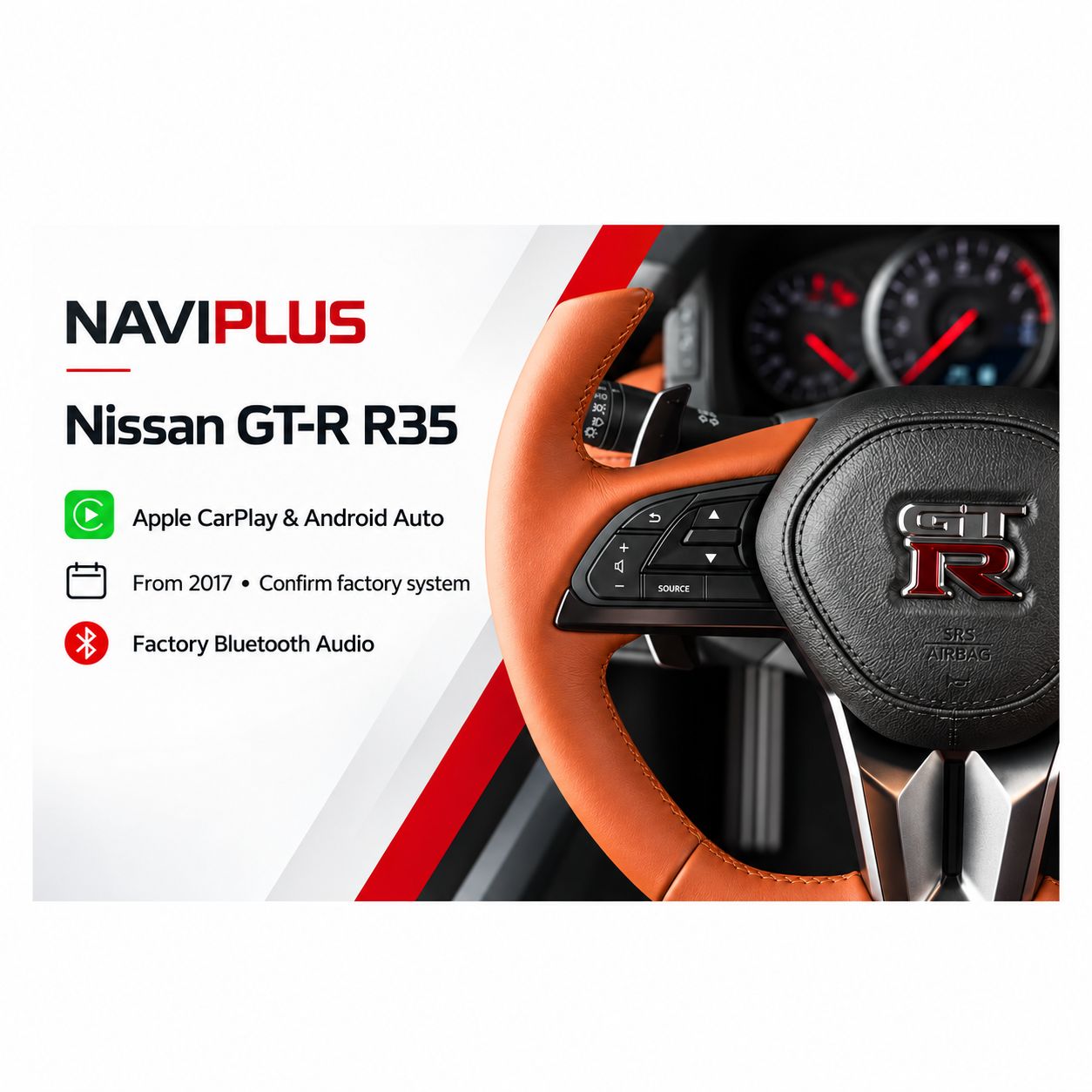
Nissan GT-R R35 Apple CarPlay & Android Auto Integration | From 2017
SKU R35EBA_NP
AU$1,100.00
1
Save this product for later
Nissan GT-R R35 Apple CarPlay & Android Auto Integration | From 2017
Product Details
Nissan GT-R R35 Apple CarPlay & Android Auto Integration
For compatible 2017-onwards Nissan GT-R EBA-R35 factory systems.
Bring Apple CarPlay and Android Auto to your original Nissan display. Access compatible navigation, music and communication apps while keeping the factory infotainment interface available.
Audio uses the factory Bluetooth Audio mode. Select BT Audio on the original Nissan system for CarPlay and Android Auto sound.
Check compatibility before ordering
Check your factory system before ordering.
This is the 2017-on EBA-R35 version. Send photos of the factory screen, control panel and Bluetooth Audio menu to confirm the correct kit. Send your vehicle details and factory-system photos to sales@naviplus.com.au.
Vehicle Compatibility
| Vehicle | Nissan GT-R R35 / EBA-R35 |
|---|---|
| Model years | From 2017 |
| Required factory system | Matching original factory display and control panel; confirm Bluetooth Audio menu |
| Mode switching | Factory MAP button; follow the supplied operating instructions |
| Audio output | Factory Bluetooth Audio mode |
| Microphone | External microphone, as listed in this product source |
| Compatibility check | Vehicle year, VIN where required, and clear photos of the factory screen and control panel |
- Nissan GT-R R35 / EBA-R35 models from 2017, subject to the fitted factory system.
- Send Naviplus your model year and clear photos of the factory screen, control panel and Bluetooth Audio menu to confirm suitability.
- Wired connection is listed. Wireless connection requires the appropriate wireless option; confirm the supplied configuration before ordering.
- Phone and software compatibility must be checked for your device.
See the integration in action
Switch between factory mode and smartphone integration
Use the MAP button to switch the display between the original Nissan interface and Apple CarPlay / Android Auto. Follow the supplied instructions for the exact button operation.
Everyday smartphone features
- Use supported navigation apps on the factory display.
- Play music and podcasts through the factory sound system using Bluetooth Audio mode.
- Access supported calling and messaging functions through CarPlay or Android Auto.
- Feature availability depends on your phone, apps, selected kit configuration and factory system.
Bluetooth Audio sound connection
This GT-R kit uses factory BT Audio mode for sound. Ensure the factory system is in Bluetooth Audio mode when using CarPlay or Android Auto. Follow the supplied pairing and setup instructions.
Wired and optional wireless connection
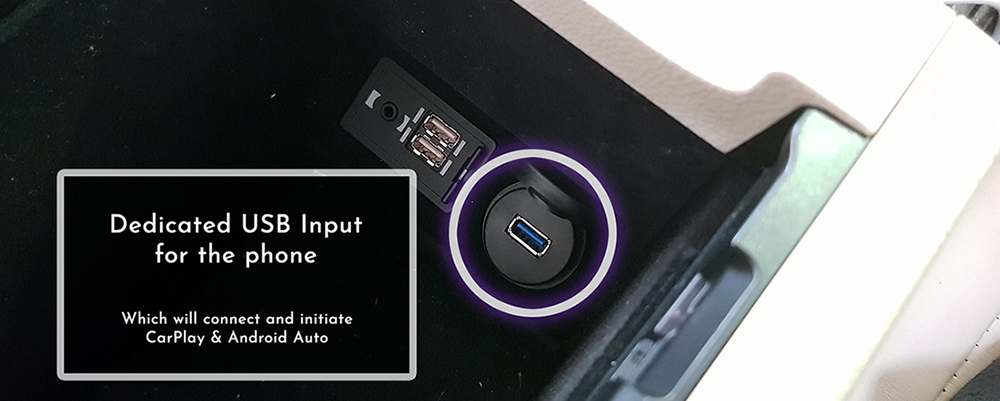
Connect a compatible phone using the integration kit’s dedicated USB input and a suitable data cable. Wireless operation is available with the appropriate wireless device option; confirm this option before purchase.
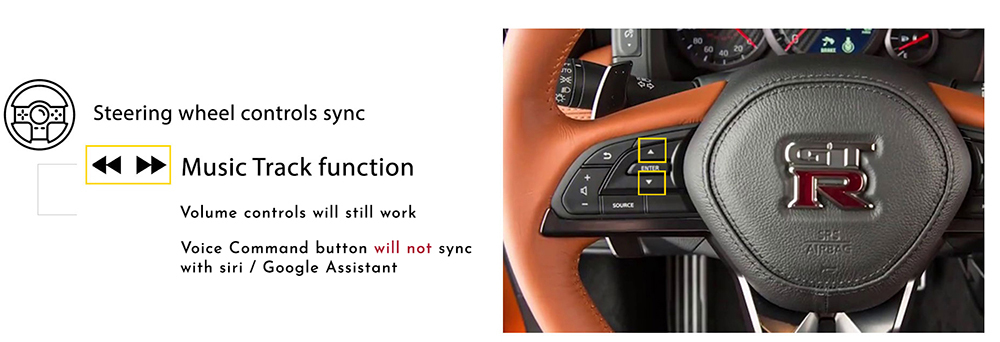
Steering-wheel controls
- The supplied GT-R reference shows support for music track controls.
- Factory volume controls remain available.
- The factory voice-command button does not sync with Siri or Google Assistant.
- The component list includes an external microphone for voice commands.
Installation and factory system
The supplied product information states that coding is not required. This integration adds smartphone functions; it does not provide a software update for the original Nissan infotainment system.
Installation and setup should follow the vehicle-specific instructions supplied with the kit.
Package components
- CarPlay / Android Auto integration device.
- Video integration device.
- Vehicle audio and integration cable loom.
- USB extension cable.
- External microphone for voice commands.

The component image is a reference. Confirm the exact package and any wireless option when ordering.
Warranty, returns and replacement
The supplied listing specifies a 12-month product warranty and asks customers to contact Naviplus within 7 days of receiving the system when requesting a refund or warranty replacement, with the reason for the request. Contact Naviplus for the applicable process.
For replacement assessment, the original listing asks the buyer to return the product at their cost. After receipt, testing and any required firmware update typically take 1–2 days. Once an update or replacement is confirmed, Naviplus dispatches the system back at its cost. Systems are pre-tested before dispatch.
| Condition | 1–7 days | 14–30 days | Over 30 days |
|---|---|---|---|
| Unopened / unused | Full refund excluding shipping | Up to 5% restocking fee depending on condition | Returns not accepted under the listed policy |
| Installed (product warranty still applies) | Up to 20% restocking fee depending on condition | Refund requests not accepted; warranty service available | Returns not accepted under the listed policy |
The supplied return table does not specify the treatment of days 8–13. Please contact Naviplus for clarification before arranging a return.
Returned products are tested for use, including stored vehicle data signals. The listed refund policy applies to the product price; shipping and installation labour are excluded.
Display prices in:AUD