Categories
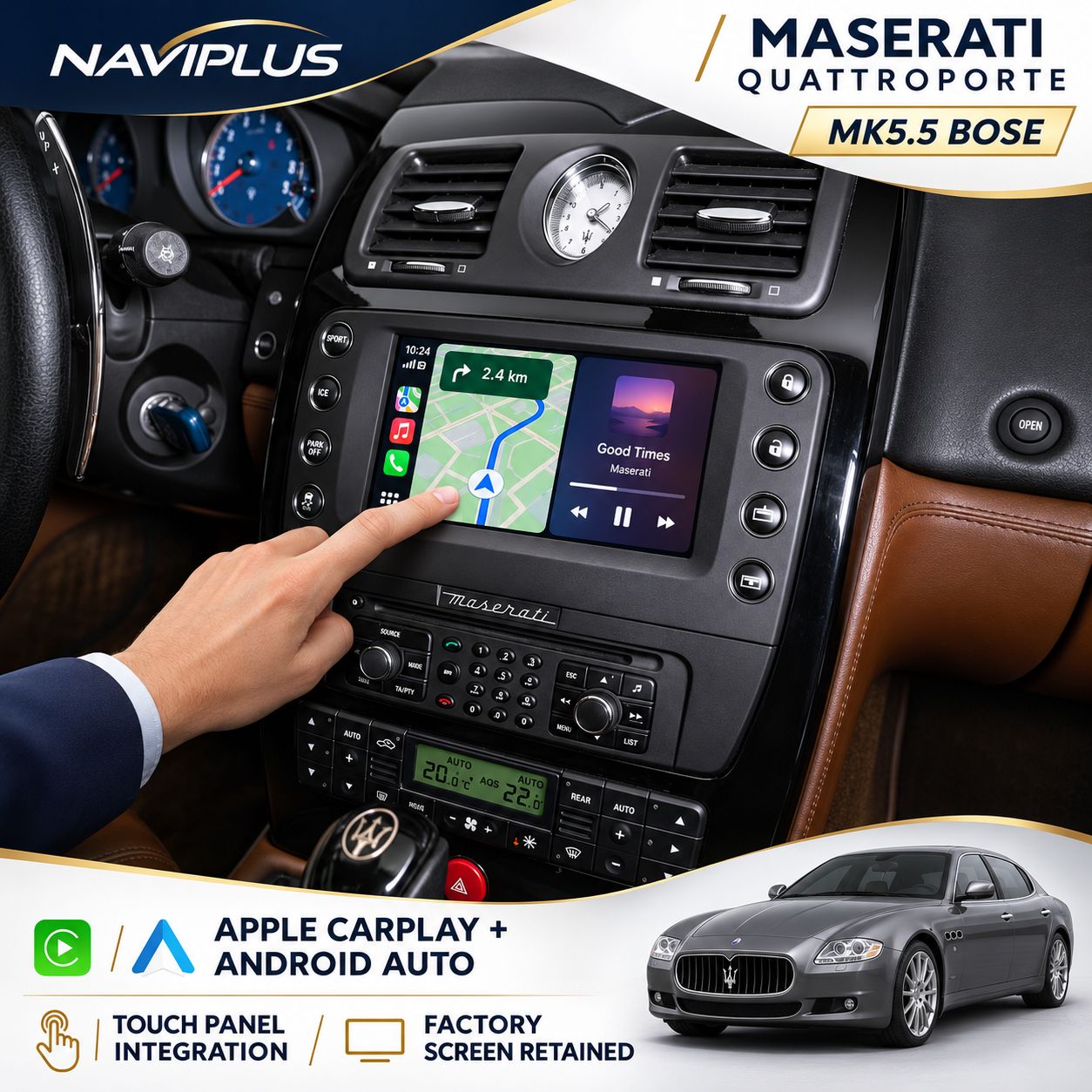
Maserati Quattroporte 5th Gen Touch Apple CarPlay & Android Auto Integration
SKU QP5.5_NP
AU$1,150.00
Rear View Camera Selection
1
Save this product for later
Maserati Quattroporte 5th Gen Touch Apple CarPlay & Android Auto Integration
Product Details
NAVIPLUS · MASERATI SMARTPHONE INTEGRATION
Maserati Quattroporte 5th Gen Touch Apple CarPlay & Android Auto Integration
Factory display retained · Vehicle-matched controls · Melbourne installation
Add Apple CarPlay and Android Auto to your compatible Maserati Quattroporte while retaining the original 5th Gen · Touch Overlay dashboard display. Use supported phone navigation, music, calls and messaging apps through a system matched to your fitted factory audio.
Compatibility · Match This Exact Audio System
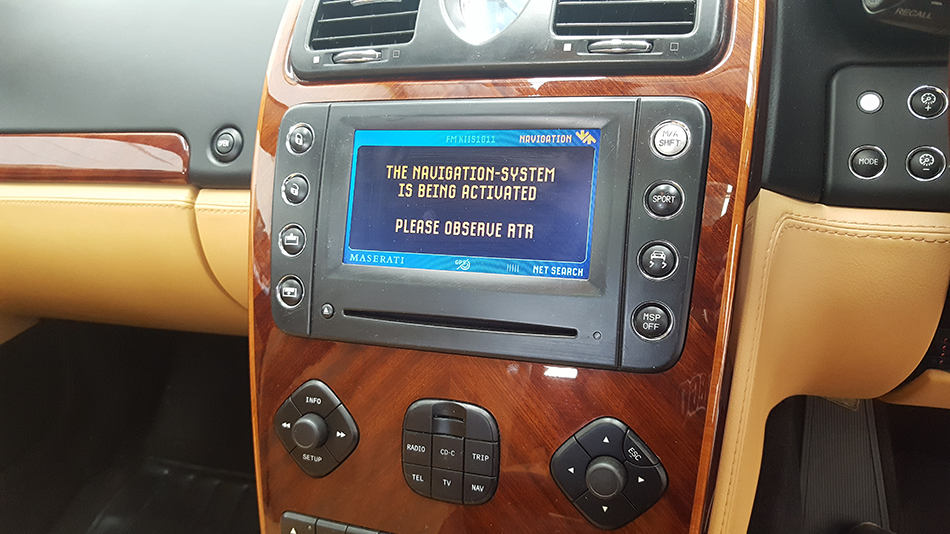
Application: early 5th-generation Quattroporte with the exact original radio / display design shown; existing description guide: 2004–2009.
Before ordering: send your model, build year, powered-on display photo and a clear view of the complete radio fascia. Include system-version information, existing cameras and previous audio modifications.
The current product URL says 2004–2010 while its description says 2004–2009. Transition-year vehicles must be matched by the actual head unit; do not choose solely by registration year.
Key Features · Smartphone Convenience
- Apple CarPlay & Android Auto: supported navigation, music, podcasts, calls and messaging apps.
- Wired and wireless smartphone connections: use the compatible phone connection supplied with the selected interface.
- Factory display retained: this is an add-on integration interface, not a universal replacement head unit.
- Original infotainment access: return to the factory radio using the vehicle-specific switching method below.
- Automatic day / night display mode: supported by the listed early Quattroporte interface.
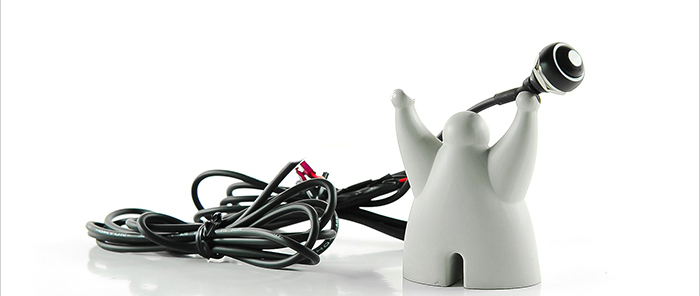
- Included microphone: used for interface calls and voice assistance.
Touch Operation · Correct Panel for Your Display
A vehicle-specific touch overlay is installed over the original screen, behind the surrounding bezel. This enables operation of the added smartphone interface while retaining the original radio and display.
The supplied touch-panel type must match the actual screen and selected kit. Confirm the panel specification with NAVIPLUS before ordering; the earlier display must not be treated as a factory touchscreen.
Audio & Calls · Choose the Correct Factory Source
Select CD-C / CD changer mode on the original radio for the integration audio. The required factory audio path must be functional before fitting the kit. Advise NAVIPLUS if CD-C, CD or TV audio is unavailable or faulty so the vehicle-specific configuration can be assessed.
The original CD changer is disabled while this integration uses its audio connection. This is different from the Bluetooth Media / AUX arrangement used by the later BOSE products.
Calls and voice assistance use the supplied microphone, not the original factory microphone. Secure routing and microphone positioning are part of installation.
Mode Switching · Original Radio & Smartphone Display
Use the supplied external toggle button to switch between the original radio display and CarPlay / Android Auto.
Follow the instructions supplied for the matched kit. The original listing identifies the button but does not establish one universal hold duration; the installer confirms the exact operation.
The external switch mounting location is agreed during installation so it is easy to reach and suits the interior.
Reference Video 1
Previous installation / demonstration reference. Hardware revisions, menu appearance and exact vehicle controls may differ from your supplied kit.
Reference Video 2
Previous installation / demonstration reference. Hardware revisions, menu appearance and exact vehicle controls may differ from your supplied kit.
Installation & Existing Equipment
- Professional installation recommended: careful trim removal, correct video / audio connections and touch-panel alignment where required.
- Vehicle-matched package: interface, harness, video leads, phone connection lead and any required touch / microphone components are confirmed for the selected variant.
- Factory cameras and parking functions: advise NAVIPLUS about the fitted equipment before ordering so retained functions and any adapters can be checked.
- Optional camera work: discuss any reverse-camera addition separately. Camera hardware and installation are not included unless specified in your quotation.
Existing screen, audio-source or microphone faults should be assessed before installation. This interface is not a repair for a faulty factory radio.
Frequently Asked Questions
Do I replace my original screen?
No. This product retains the compatible factory display.
Is the control method the same on every Maserati?
No. Early Quattroporte, BOSE and UConnect variants use different audio paths, touch arrangements and switching controls.
Does Android Auto work as well as CarPlay?
Yes. Both are listed for the matched integration package.
Can I order by model year alone?
No. Send a photo of the powered-on display and complete radio fascia first.
Check Your Maserati Upgrade
Send NAVIPLUS your vehicle details and dashboard photos to confirm the correct system, audio source and installation quotation.
Check My Maserati Compatibility →
Refund, Warranty & Replacement Policy
Refund, Warranty, and Replacement Policy:
Warranty: We provide a 12-month warranty for our products. To request a refund or warranty replacement,
please contact us within 7 days of receiving the system, including the reason for your request.
Replacement:
- If a replacement is necessary, please return the product to us at the buyer's expense.
- Upon receipt of the product, we will conduct testing and perform a firmware update if required. This process may take up to 1-2 days.
- After confirming the update or replacement, we will dispatch the new system back to you at our cost.
- We conduct pre-testing before dispatch to minimize issues.
For the Refund / Return:
|
Condition / Duration & Restock fee
|
1 - 7 Days | 14 - 30 Days | Over 30 Days |
| Product Not Opened / Not Used | Full refund minus shipping and 3% handling costs | Up to 10% of restock fee depends on condition | Returns are not accepted |
| Product that has been installed*
(Product warranty still applies) |
Up to 20% of restock fee,
depends on condition. |
Refund requests are not accepted, but warranty service is provided
|
Returns are not accepted |
Additional Notes:
- Upon receiving the returned product, we will test it to determine if it has been used by checking for stored car data signals.
- Refunds are based strictly on the product price; we do not provide refunds for shipping, installation labor, or other related costs.
Please ensure that all returns and refund requests comply with these policies to facilitate a smooth process
Display prices in:AUD