Categories
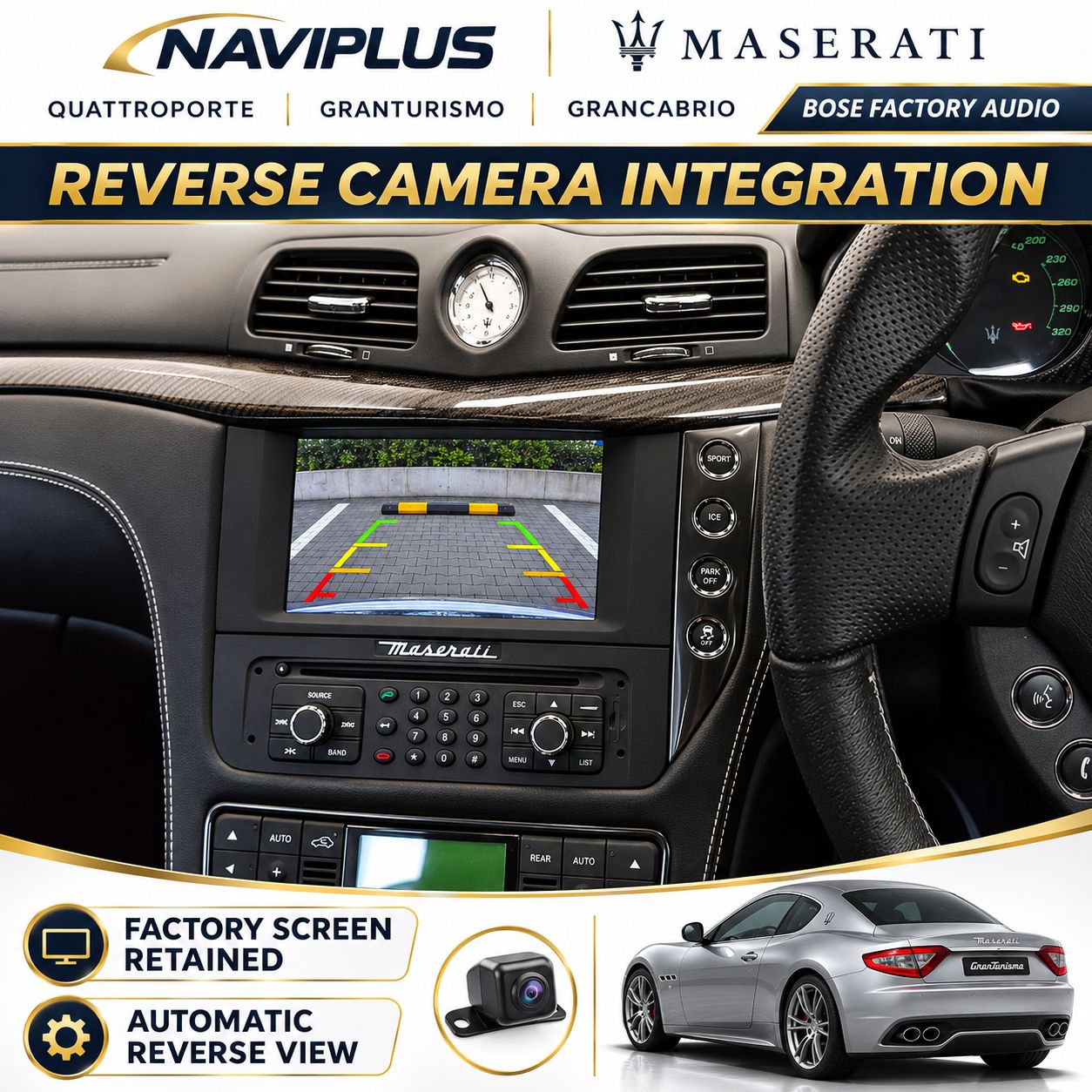
Maserati BOSE Reverse Camera Integration — Quattroporte / GranTurismo / GranCabrio
SKU MS_BOSE_RC_NP
AU$550.00
Rear View Camera Selection
1
Save this product for later
Maserati BOSE Reverse Camera Integration — Quattroporte / GranTurismo / GranCabrio
Product Details
NAVIPLUS · MASERATI CAMERA INTEGRATION
Maserati BOSE Reverse Camera Integration — Quattroporte / GranTurismo / GranCabrio
Original factory display · Automatic reverse view · Melbourne installation
See the area behind your Maserati Quattroporte / GranTurismo / GranCabrio on its original factory screen when reversing. Add rear-camera visibility through a vehicle-matched interface while keeping the clean appearance of the dashboard, without a separate monitor.
Compatibility · Match Your Factory Audio System
Application: eligible Quattroporte, GranTurismo and GranCabrio models fitted with the matching BOSE factory audio / screen design.
Factory system: BOSE Factory Audio.
The BOSE radio fascia, physical controls and display must match the correct interface. The GranTurismo dashboard shown is a reference; confirm the individual Quattroporte / GranCabrio application.
- Send the vehicle model and build year, plus a clear powered-on dashboard / radio photo.
- Show the full radio fascia, surrounding controls and system-version screen where available.
- Tell NAVIPLUS whether a reverse camera, parking sensors, aftermarket display or interface is already fitted.
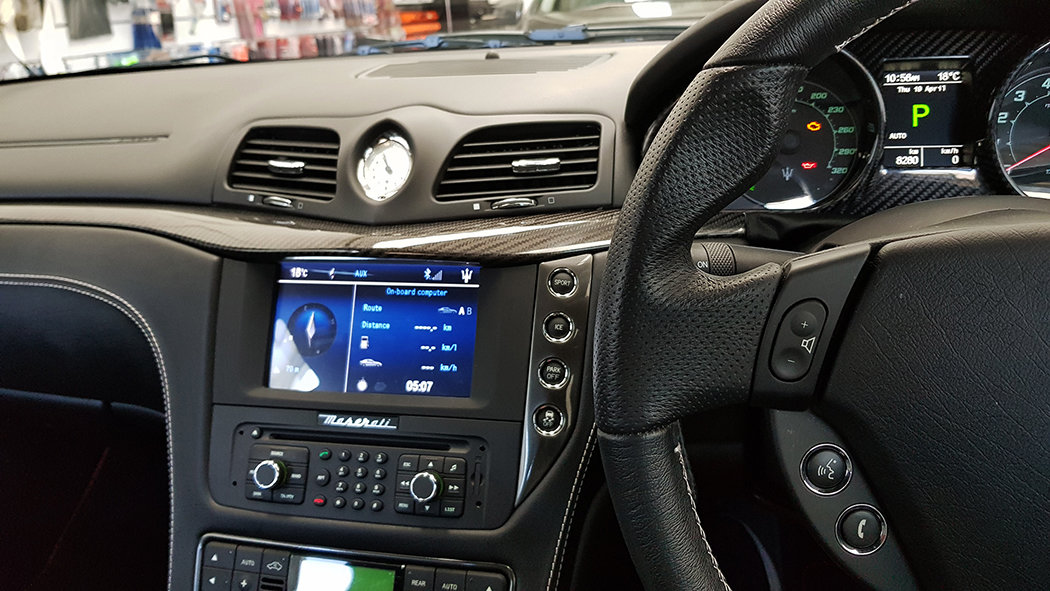
Key Features · Rear Visibility on the Original Screen
- Factory-screen integration: display the compatible reverse-camera feed on the original infotainment screen.
- Automatic reverse activation: the rear view appears when Reverse is selected with the interface correctly installed and configured.
- Additional rear visibility: helps you judge the area close to the rear bumper when parking or manoeuvring.
- Original dashboard retained: keep the factory screen, radio fascia and access to original infotainment functions.
- Vehicle-matched wiring: the interface, video connections and reverse-trigger arrangement are selected for the actual system.
- No vehicle coding required for the matched listed installation: compatibility and interface configuration are checked before fitting.
How the Reverse Camera Works
Select Reverse to show the rear-camera view on the factory display. The interface uses the required reverse-detection connection to switch the compatible video feed onto the original screen.
When Reverse is released, display behaviour follows the fitted interface configuration. The installer checks activation, return to the factory view and any existing camera / parking equipment during completion testing.
Camera visibility supplements normal observations. Check the surroundings and mirrors when manoeuvring; camera coverage depends on mounting position and can include blind spots.
Optional Front Camera · Separate Fitment
A compatible front camera can also be integrated when the appropriate camera / interface configuration is supplied. Discuss front-only or combined front / rear requirements with NAVIPLUS before ordering.
The existing listing describes manual activation using an external button, or an optional front view after moving from Reverse into Drive. The actual switching arrangement is confirmed for the vehicle and selected interface.
Front-camera hardware, mounting and any trigger button must be specified in your quotation. No fixed viewing duration is assumed for this product.
Optional Manual Camera Trigger
The existing BOSE listing offers an optional external trigger button for manual camera-view selection where required. Confirm whether it is included in the selected package and agree on a suitable mounting position during installation.

Installation · Camera Fitment & Completion Checks
- Professional installation recommended: correct trim removal, secure camera mounting, cable routing and video / trigger connections.
- Confirm the package: agree on the interface, camera, vehicle-specific harnesses and required adapters before purchase.
- Existing factory equipment: check original cameras, parking sensors and any previous modifications so the retained functions are understood.
- Camera setup: confirm the required video format and electrical connections for the selected interface rather than assuming every camera is interchangeable.
- Final checks: test reverse activation, usable camera aim, the return to factory infotainment and any separately ordered front-camera function.
Previous Installation · Reference Video
Existing demonstration reference. The fitted camera, trim and interface revision may differ from your supplied package.
Frequently Asked Questions
Do I need an extra monitor?
No. The matched interface displays the camera feed on the compatible original screen.
Will the camera activate in Reverse?
Yes, with the required reverse trigger connected and the interface correctly configured.
Are all Maserati radios the same?
No. Early Quattroporte, BOSE and UConnect configurations use different interfaces. Send a complete radio photo before ordering.
Will it work with my existing camera?
The camera format, wiring and factory configuration must be checked first.
Are the illustrated guide lines guaranteed?
No. Thumbnail graphics illustrate the camera view. Guide-line availability and type depend on the supplied camera and interface; dynamic steering lines are not promised.
Confirm Your Maserati Camera Upgrade
Send NAVIPLUS your model, build year and dashboard photo for a compatibility check. Include details of existing cameras and any additional camera requirement so the correct package can be quoted.
Check My Camera Compatibility →
Refund, Warranty & Replacement Policy
Refund, Warranty, and Replacement Policy:
Warranty: We provide a 12-month warranty for our products. To request a refund or warranty replacement,
please contact us within 7 days of receiving the system, including the reason for your request.
Replacement:
- If a replacement is necessary, please return the product to us at the buyer's expense.
- Upon receipt of the product, we will conduct testing and perform a firmware update if required. This process may take up to 1-2 days.
- After confirming the update or replacement, we will dispatch the new system back to you at our cost.
- We conduct pre-testing before dispatch to minimize issues.
For the Refund / Return:
|
Condition / Duration & Restock fee
|
1 - 7 Days | 14 - 30 Days | Over 30 Days |
| Product Not Opened / Not Used | Full refund minus shipping and 3% handling costs | Up to 10% of restock fee depends on condition | Returns are not accepted |
| Product that has been installed*
(Product warranty still applies) |
Up to 20% of restock fee,
depends on condition. |
Refund requests are not accepted, but warranty service is provided
|
Returns are not accepted |
Additional Notes:
- Upon receiving the returned product, we will test it to determine if it has been used by checking for stored car data signals.
- Refunds are based strictly on the product price; we do not provide refunds for shipping, installation labor, or other related costs.
Please ensure that all returns and refund requests comply with these policies to facilitate a smooth process
Display prices in:AUD