Categories
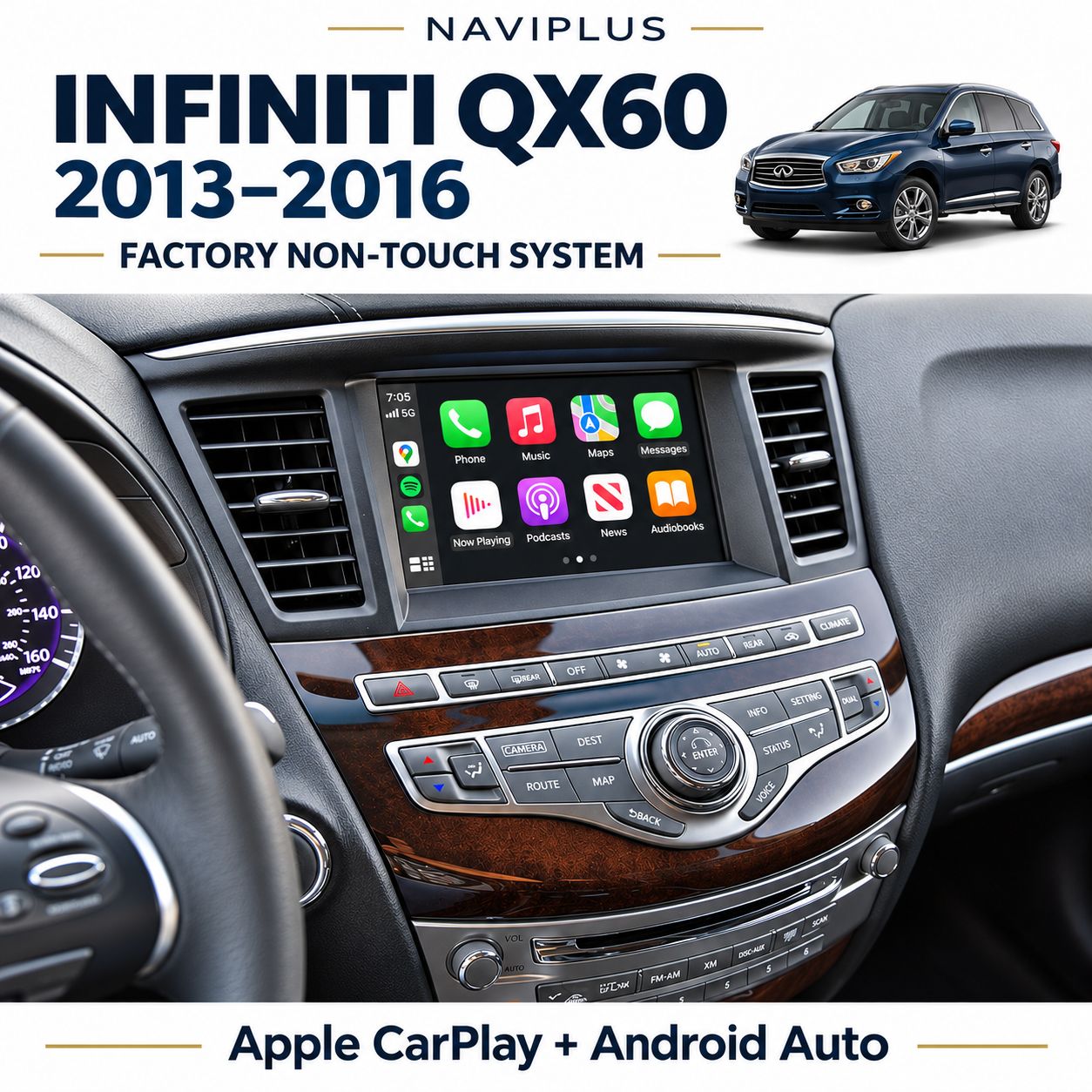
Infiniti QX60 2013–2016 — Apple CarPlay & Android Auto Integration
SKU IF_QX60_NT_CP_NP
AU$850.00
Touch Panel Type
1
Save this product for later
Infiniti QX60 2013–2016 — Apple CarPlay & Android Auto Integration
Product Details
NAVIPLUS · INFINITI SMARTPHONE INTEGRATION
Infiniti QX60 2013–2016 — Apple CarPlay & Android Auto Integration
Bring smartphone maps, music and hands-free calling to your Infiniti QX60 through its compatible factory display. Add Apple CarPlay and Android Auto while keeping the original dashboard appearance.
Compatibility · Match This Exact System
Vehicle: Infiniti QX60
Listed years: 2013–2016
Factory system: Factory non-touch system
Existing SKU: QX60L_NP
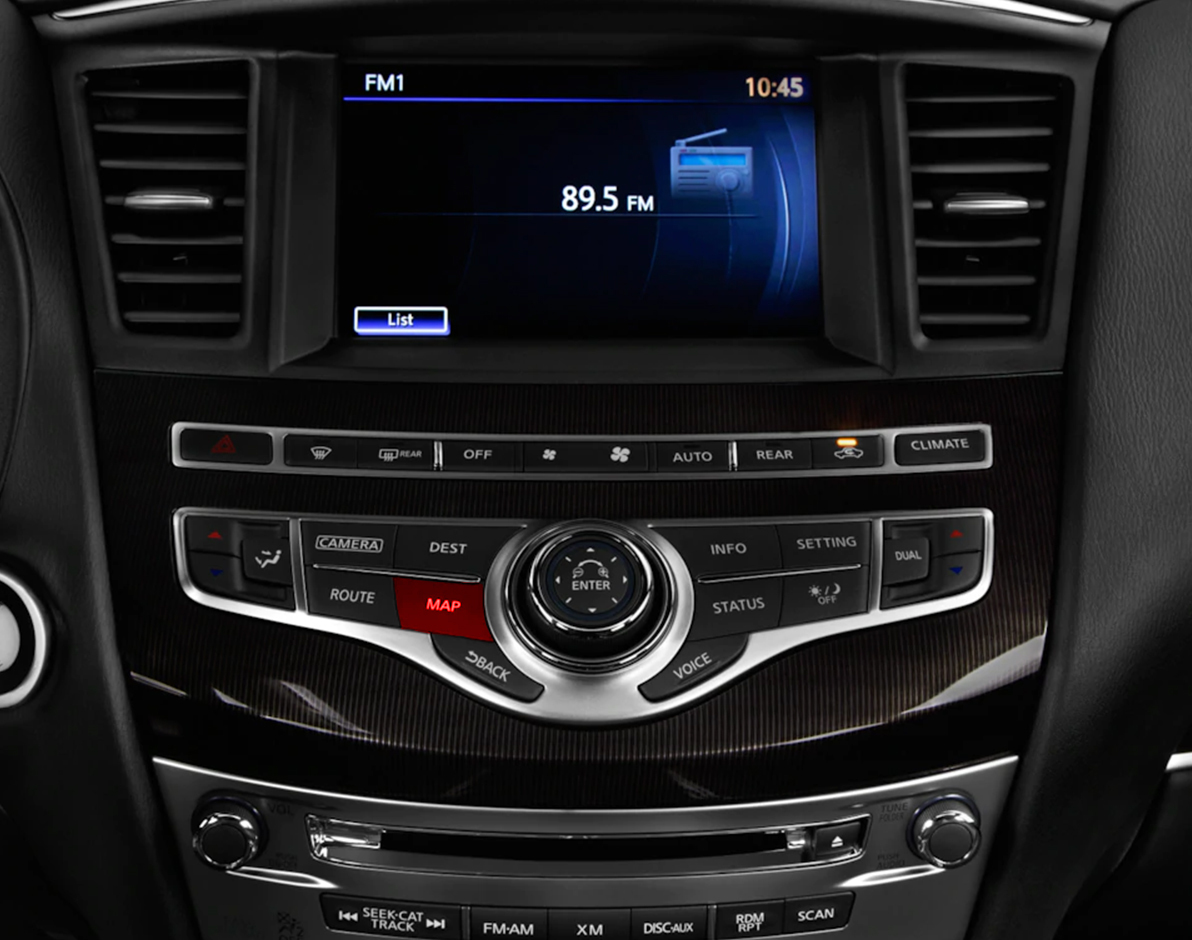
For the matching factory non-touch QX60 display. Detailed listing compatibility is 2013–2016; 2017–2019 requires individual assessment. A non-touch screen does not become touch-sensitive through software. Confirm the controller or any specified touch overlay and whether it is included.
Send the build year, full dashboard photo with the display powered on, phone model and details of existing cameras / audio modifications before ordering.
Key Features · Upgrade Your Everyday Drive
- Apple CarPlay & Android Auto: access supported phone navigation, music, messaging and calling apps.
- Original screen retained: keeps the factory dashboard layout without adding a separate display.
- Navigation choices: use supported Apple Maps, Google Maps or Waze apps on a compatible phone.
- Music & voice assistance: access supported apps and phone voice functions through the confirmed audio and microphone setup.
- Factory-system access: switch back to original menus using the configured control.
- Connection choice: confirm the supplied wired connection and optional wireless add-on when ordering.
Switching, Controls & Factory Functions
Use the STATUS control to switch between the original display and smartphone mode. Your installer will demonstrate the required press or hold operation for your supplied interface.
Non-touch application: add the optional size-matched touch panel and matching touch adapter/controller for direct touch operation in Apple CarPlay and Android Auto. Select the panel type below; any external dial controller is a separate, compatibility-checked option.
Factory camera display, steering-wheel functions and microphone routing are checked for the agreed configuration during installation. Tell us about any existing camera system before booking.
Optional Touch Panel · 7-inch / 8-inch CAP or RES
Add touch control to your original non-touch screen. Choose a clear capacitive (CAP) or resistive (RES) overlay matched to the actual display, together with its compatible touch adapter/controller. The factory LCD is retained.
- 7-inch factory display: select the matched 7-inch panel and adapter for the confirmed non-touch system. This is the usual non-navigation QX60 application; verify the actual display before ordering.
- 8-inch factory display: select a matched 8-inch overlay only after NAVIPLUS confirms that your particular display is non-touch and supported. Do not fit a 7-inch panel to an 8-inch display. A factory 8-inch navigation touchscreen belongs to the separate factory-touch product.
- Capacitive (CAP): light fingertip operation with a smooth, smartphone-style feel. The clear panel is selected for high image transparency and minimal visual impact. It does not rely on pressing the screen; ordinary plastic pens are not suitable input tools.
- Resistive (RES): responds to gentle pressure from a finger or suitable blunt stylus. It has a different touch feel from CAP. Avoid sharp objects on either panel.
- Touch adapter/controller: the touch signals must be connected through a controller matched to the panel type, ribbon/connector and supplied CarPlay interface. CAP and RES parts are not automatically interchangeable.
- Clean factory-style finish: the overlay sits in front of the original LCD; its outer edges and wiring are concealed behind the original fascia when correctly matched and installed.
- What touch controls: added touch is for the supported CarPlay / Android Auto interface. It does not automatically convert the original Infiniti menus into touchscreen menus or add factory navigation.
Choose 7-inch or 8-inch to match the existing monitor, then CAP or RES. Screen diagonal alone is insufficient: NAVIPLUS checks the viewing area, outer dimensions, mounting clearance, ribbon and controller. If you already have compatible touch equipment, select the existing-equipment option and send its details for checking.
A compatible external dial controller can also be discussed if preferred. Confirm support, mounting position and the quoted equipment before choosing it.
INDIWORK clear capacitive-panel information is used as a technology reference. Its published Mercedes/Audi/VW panel listings do not by themselves establish Infiniti fitment; NAVIPLUS supplies the size and controller matched to your confirmed installation.

How the touch adapter works: it carries or converts touch input from the panel to the compatible integration interface. Some interfaces accept a supported capacitive panel directly; others require a separate converter. The panel, adapter and wiring are selected together.

CAP / RES connection: a capacitive panel and a resistive-input interface may require a compatible signal converter. INDIWORK also documents a CTR6-4 converter for supported 6-pin capacitive panels and 4-pin resistive inputs; chipset and pin assignment must match. A 7-inch or 8-inch label alone does not establish adapter compatibility. No extra converter is needed where the supplied interface already supports the selected panel directly.
NAVIPLUS confirms the required panel, adapter, cables and price before supply. This touch adapter is for touch-control signals; it is separate from the vehicle’s Bluetooth / AUX audio configuration.
Audio, Calls & Phone Connection
Confirm factory Bluetooth Audio / BT Media or AUX routing for the supplied kit. Phone pairing, microphone arrangement and calling functions are tested at installation.
Use a compatible smartphone and an appropriate USB data cable for wired operation. The current product has a Wireless Apple CarPlay / Android Auto add-on option; select it if you require that package. Confirm included equipment and phone compatibility with your quotation.
Navigation, music, calls and supported voice functions are tested after installation. App availability and data usage depend on your phone, subscription and region.
Reference Installation Video
Related Nissan Patrol / Pathfinder installation; a different vehicle is shown.
Reference only. Supplied hardware, controls and connection method are confirmed for your vehicle.
Installation, Package & Optional Accessories
- Professional installation recommended: correct wiring, secure mounting, display switching and audio setup are required.
- Package: your quotation identifies the matched interface, vehicle harnesses and included accessories.
- Optional items: wireless equipment, touch overlays, control adapters and camera accessories are included only where specified.
- Factory system identification: screen, connector type and radio version must be checked; year alone is insufficient.
- Installation labour and additional work: quoted separately unless stated in your selected package.
Before Ordering · Quick Checklist
- Vehicle model, build year and trim.
- Powered-on dashboard photo showing the complete screen and controls.
- For Q50 / Q60: show both screens or the full single-screen console.
- For QX60: confirm whether the factory screen supports touch.
- Phone model and preferred wired / optional wireless connection.
- Existing cameras, amplifier and previous infotainment modifications.
Warranty, Returns & Support
12-month product warranty, subject to the applicable product terms. Contact NAVIPLUS with your invoice, vehicle details and issue description for assistance.
These published commercial terms do not exclude or limit applicable Australian Consumer Law rights. Confirm the applicable return and warranty arrangement before authorising work or returning equipment.
Upgrade Your Infiniti · Keep the Factory Look
Send NAVIPLUS your build details, dashboard photo and phone model for the correct interface and installation quote.
Check Compatibility & Request a Quote →Display prices in:AUD