Categories
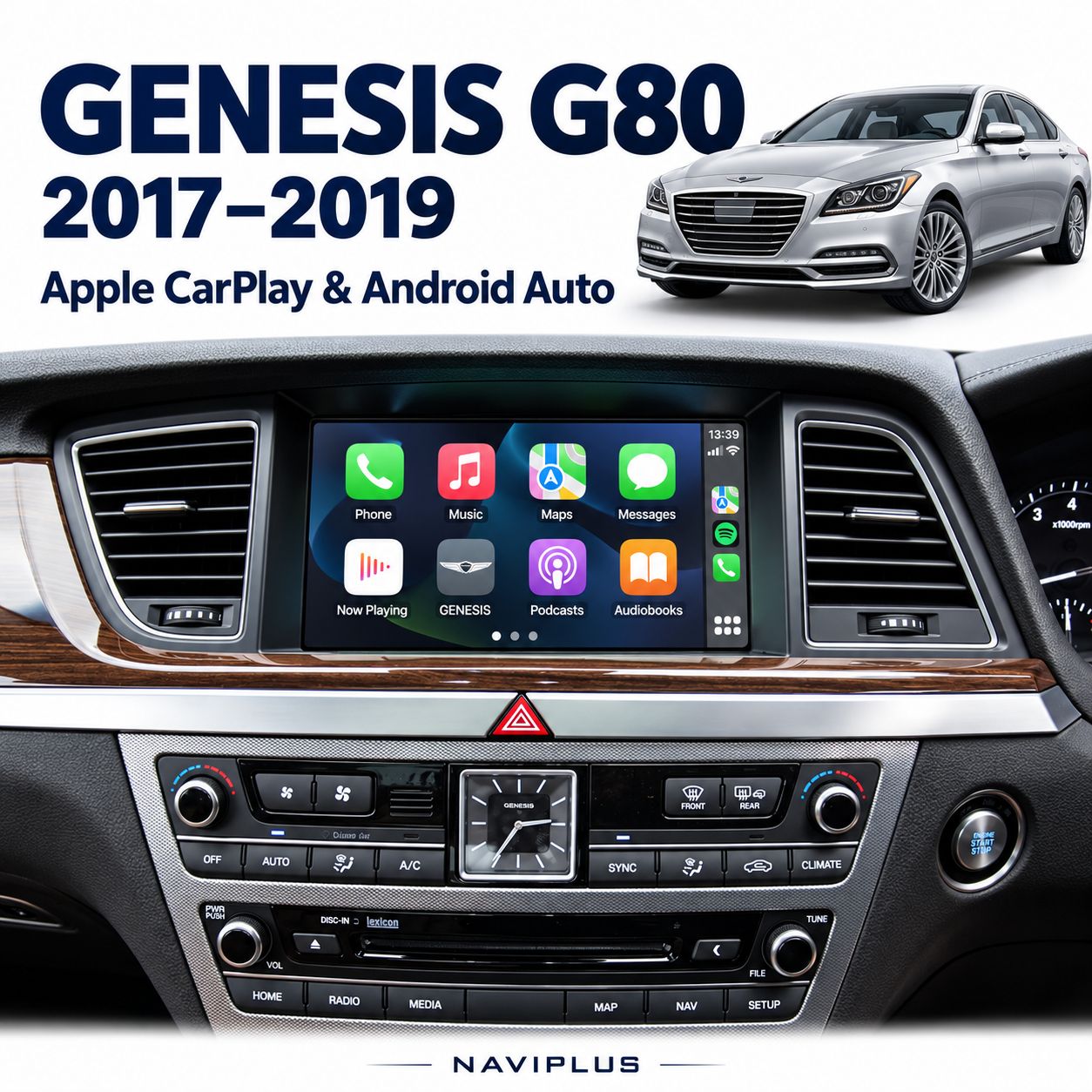
Genesis G80 2017–2019 – Apple CarPlay & Android Auto Integration
SKU G80_NP
AU$850.00
Additional Accessories
9 available
1
Save this product for later
Genesis G80 2017–2019 – Apple CarPlay & Android Auto Integration
Product Details
Genesis G80 2017–2019 – Apple CarPlay & Android Auto Integration
Bring familiar smartphone navigation, music and calling to your Genesis G80 while keeping the original dashboard and compatible 9.2-inch factory infotainment display. This integration adds Apple CarPlay and Android Auto without replacing the factory screen.
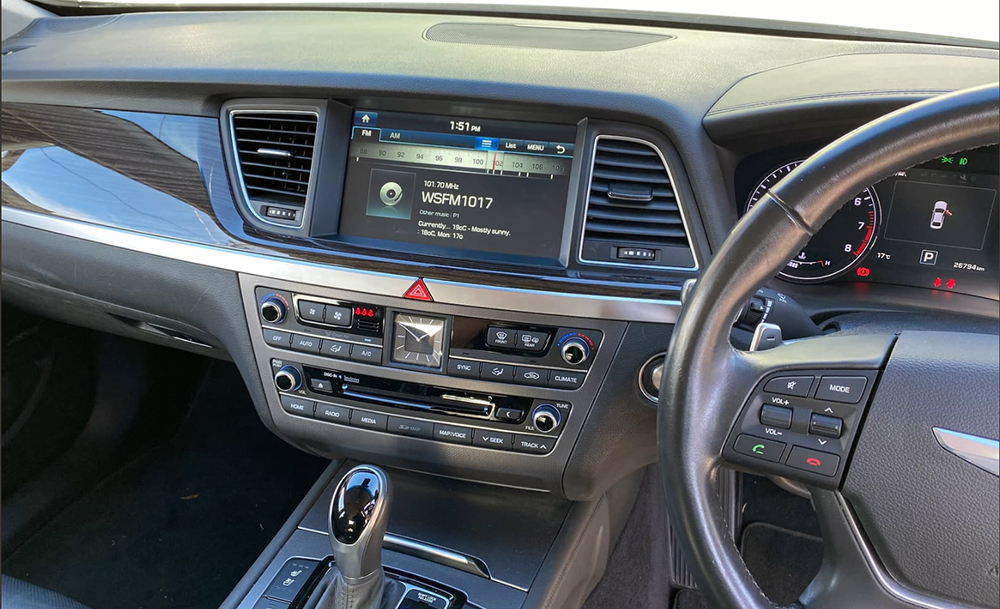
Important — confirm your factory system before ordering
Listed application: Genesis G80 2017–2019 with the matching 9.2-inch infotainment system. Send a dashboard photo and vehicle details before purchasing. Year and model alone do not confirm interface compatibility.
Key Features
- Apple CarPlay & Android Auto: access supported navigation, audio, messaging and calling apps through a compatible phone.
- Original display retained: keeps the factory dashboard appearance and existing screen.
- Factory-system switching: change between the original display and smartphone integration using the configured factory control.
- Navigation and music: use supported apps such as Apple Maps, Google Maps, Waze and Spotify, subject to phone, region and app availability.
- Voice assistance: use supported phone voice functions with the installed system configuration.
- Connection options: confirm the supplied wired setup and optional wireless add-on when ordering.
Vehicle & Screen Compatibility
- Vehicle: Genesis G80.
- Listed years: 2017–2019.
- Factory display: 9.2-inch infotainment system, matching the referenced dashboard.
- Product SKU: G80_NP.
- Factory head-unit version, connectors, regional specification and previous modifications must be checked before installation.
How to Use the System
Switch between the original system and smartphone mode
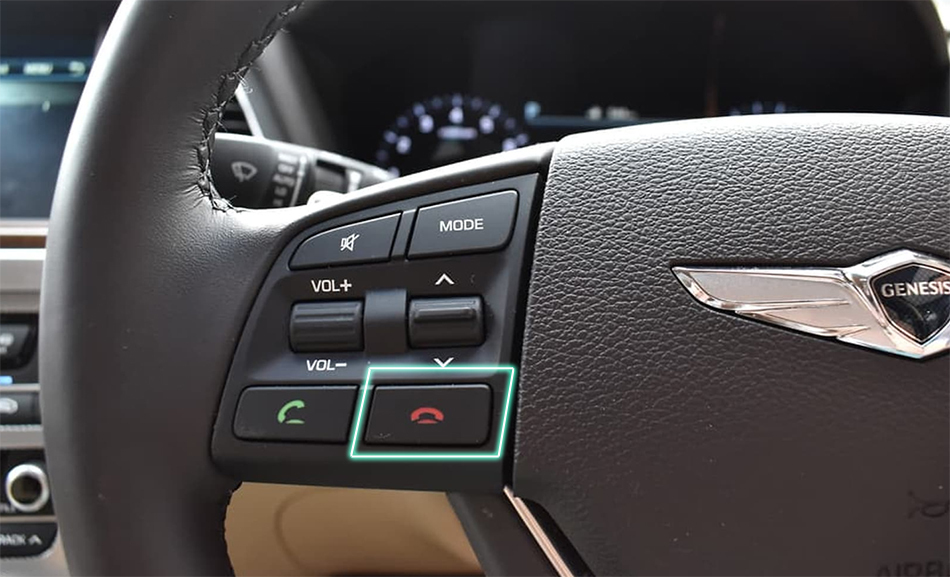
Use the steering-wheel Hang Up / end-call button as configured during installation. Your installer will demonstrate the required operation and pairing sequence.
- Select the audio source demonstrated during installation before playing smartphone audio.
- Connect your compatible phone using the supplied configuration; use a suitable data cable for wired operation.
- Return to the factory display whenever you need the original menus.
- The exact operation of touch, steering-wheel buttons and other controls is checked for your matched interface.
Audio, Calls & Phone Connection
The installation is configured to suit the original Genesis audio system. Where the fitted kit uses factory Bluetooth Audio / BT Media, select that source and follow the pairing instructions demonstrated by your installer.
- Music, navigation guidance and calls use the matched audio and microphone configuration.
- Wired connection requires the correct iPhone or Android data cable; phone-specific cables are not assumed to be supplied.
- Wireless CarPlay / Android Auto: listed as an optional add-on. Confirm it is included in your selected package.
- Phone compatibility, operating system and supported app availability should be checked before booking.
Reference Installation Video
Reference demonstration from a 2014 Genesis DH. It illustrates the type of integration; the vehicle in the video is not the listed 2017–2019 G80 application.
Installation & Package
Professional installation is recommended to ensure secure connections, correct audio routing and reliable operation.
- Interface, vehicle-specific connections and installation requirements are matched to the confirmed factory system.
- Your quotation confirms the included interface hardware, cables, optional wireless equipment and installation labour.
- Original screen operation, smartphone display switching, audio and calling are checked after installation.
- Ask us about additional camera options separately; cameras and camera accessories are included only where stated.
Before You Order
- Send the vehicle year, model and a clear photo of the factory dashboard with the display switched on.
- Tell us your phone make/model and whether wired or wireless connection is required.
- Mention any existing camera, amplifier or previous stereo modifications.
- Confirm the full package and installation scope before purchasing.
Warranty & Support
Includes a 12-month product warranty, subject to the applicable warranty terms. Contact Naviplus with your order details and a description of the issue for assistance.
Your rights under the Australian Consumer Law are not excluded or limited.
Upgrade Your Genesis G80 — Keep the Factory Look
Send your vehicle details, dashboard photo and phone model for a compatibility check and quote.
03 9546 0452
sales@naviplus.com.au
Unit 9 / 35 Garden Road, Clayton VIC 3168
Display prices in:AUD